
무료 Gemini API 키 발급Get a free Gemini API key
Google AI Studio에서 무료 키를 받아 Nalmeok에 등록합니다. 결제 없이 전사를 시작할 수 있습니다. Get a free key from Google AI Studio and add it to Nalmeok. No payment is needed to start transcribing.
사진은 한국어 화면 기준입니다. 영어 화면의 버튼 이름은 괄호에 적었습니다. Screenshots show the Korean interface. English button names are in parentheses.
-
Google AI Studio 접속
Google AI Studio에서 Get started를 누르고 Google 계정으로 로그인합니다.
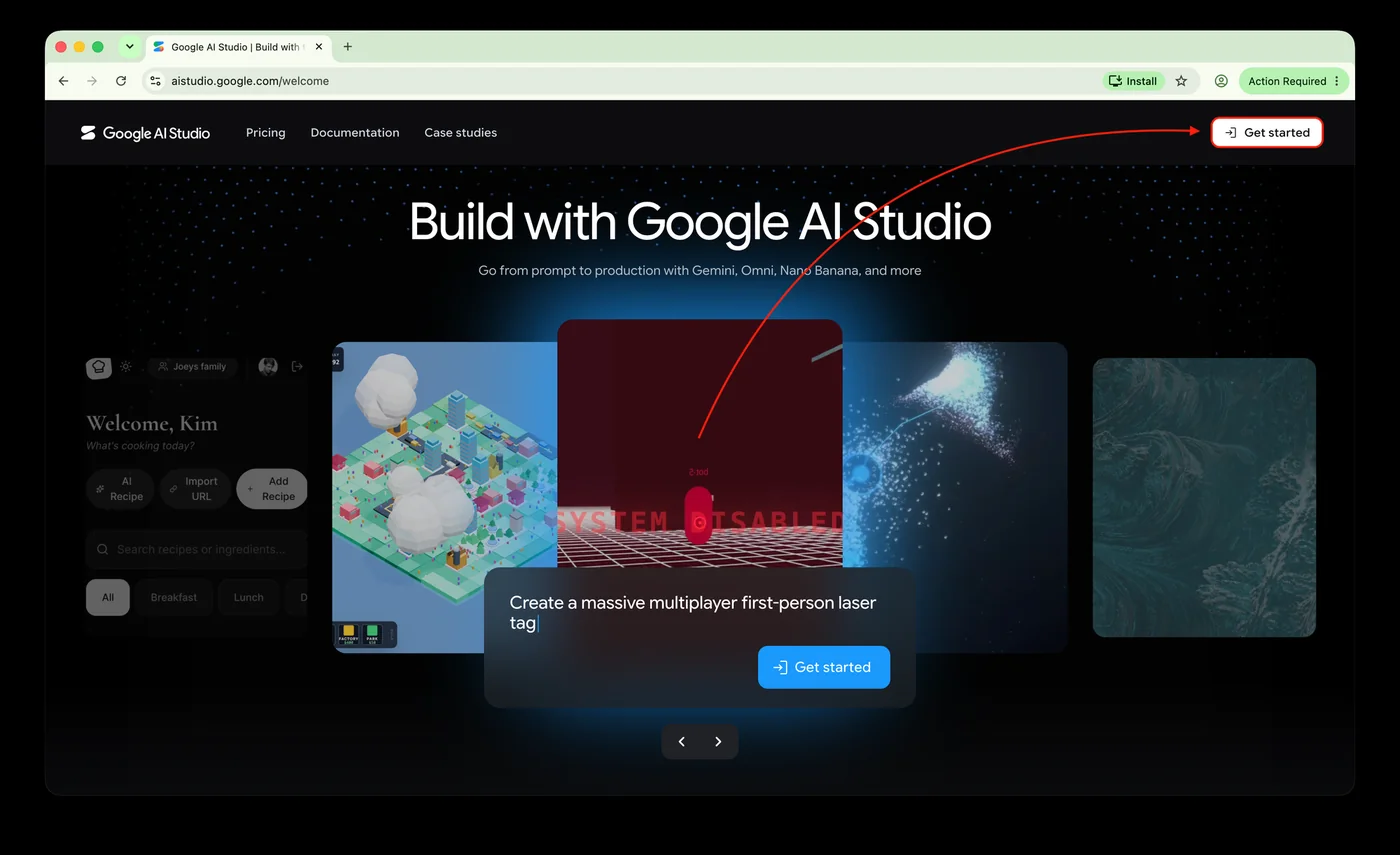
사진 1 — Google AI Studio 시작 화면 -
처음 설정 마치기
처음 접속하면 데이터 사용과 약관 안내가 나옵니다. 필수 확인란을 체크하고 계속(Continue)을 누릅니다. 방문 목적을 묻는 화면에서는 목적을 고르거나 건너뛰기(Skip)를 누릅니다.
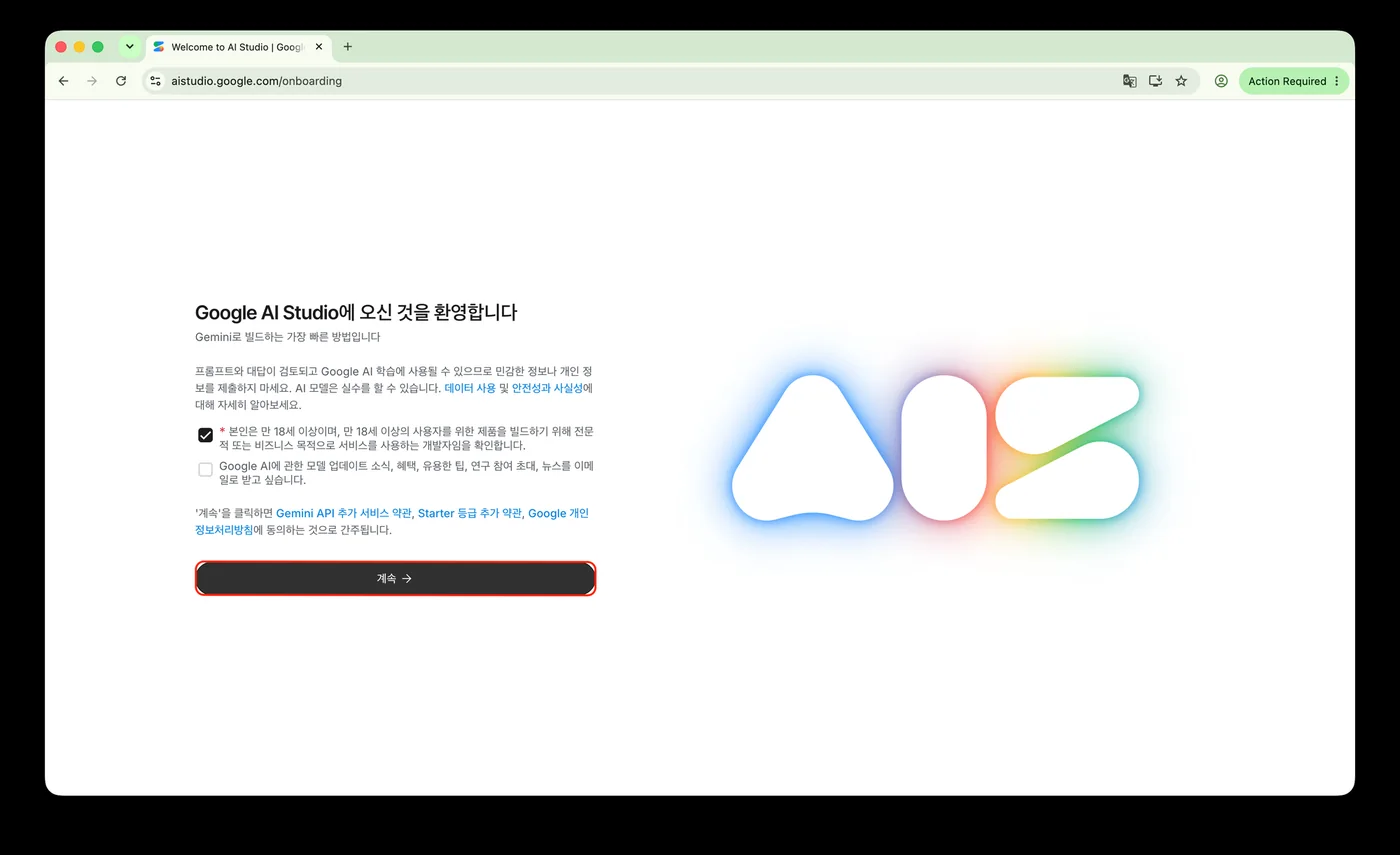
사진 2 — 환영 및 약관 안내 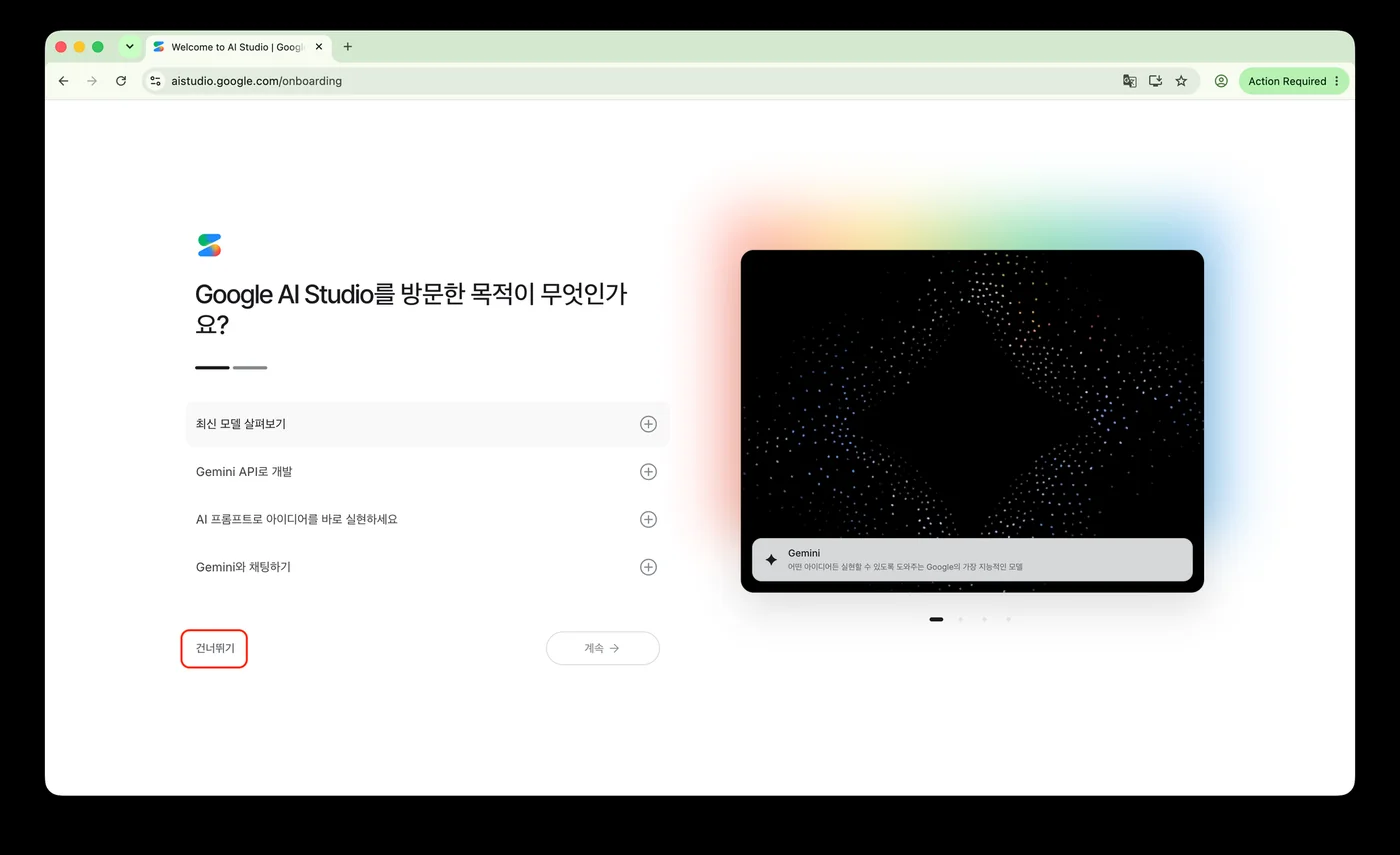
사진 3 — 방문 목적 선택 -
API 키 관리 페이지로 이동
왼쪽 아래의 Get API key를 누르거나 API 키 관리로 이동합니다.
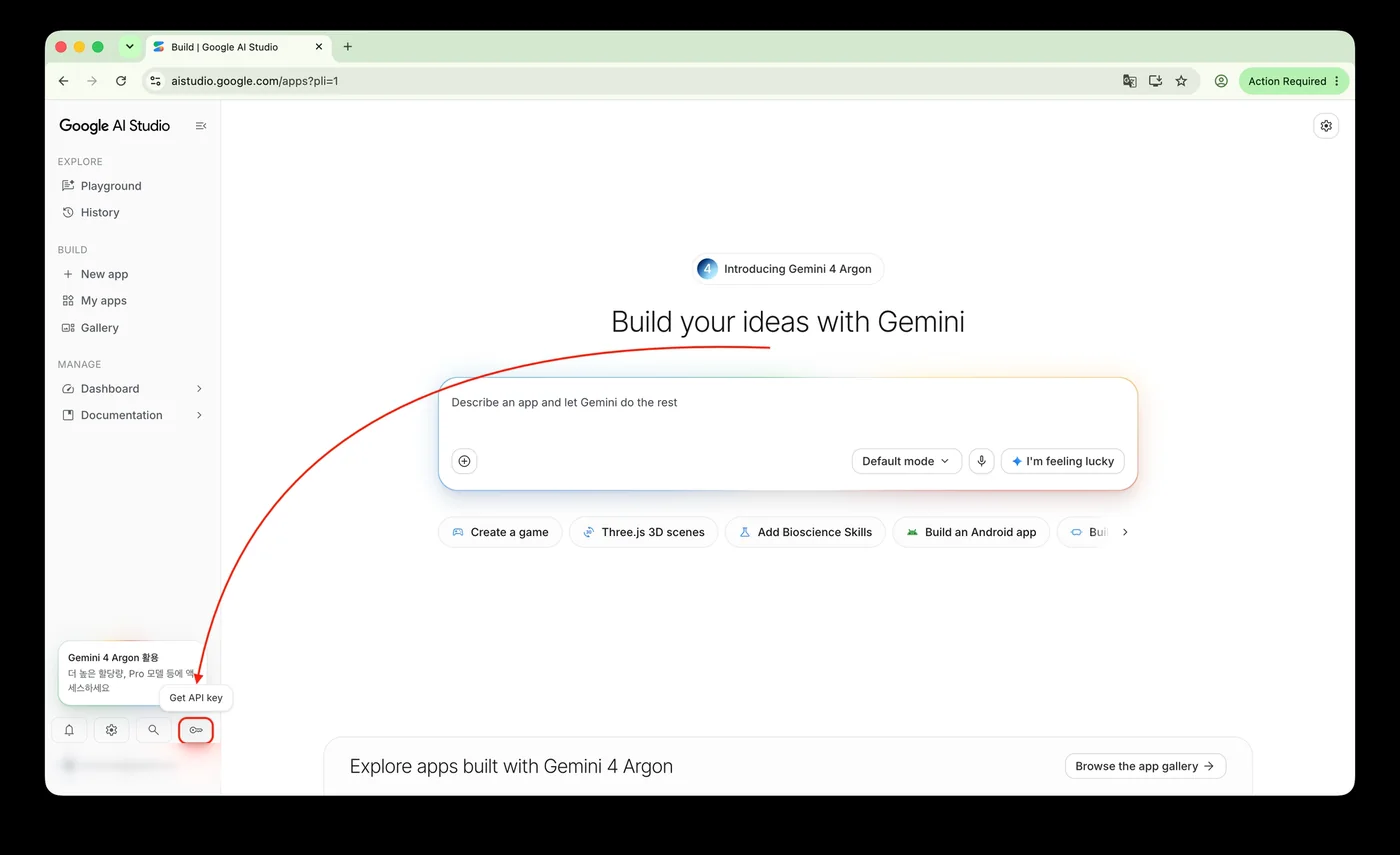
사진 4 — Google AI Studio 메인 화면 -
무료 API 키 만들기
API 키 만들기를 누르고 새 키 만들기 창에서 이름(예:
Nalmeok)을 넣습니다. 기존 프로젝트 선택에서 Default Gemini Project를 고르고 키 만들기를 누릅니다. 결제를 연결하지 않은 프로젝트에는 무료 등급 한도가 적용됩니다.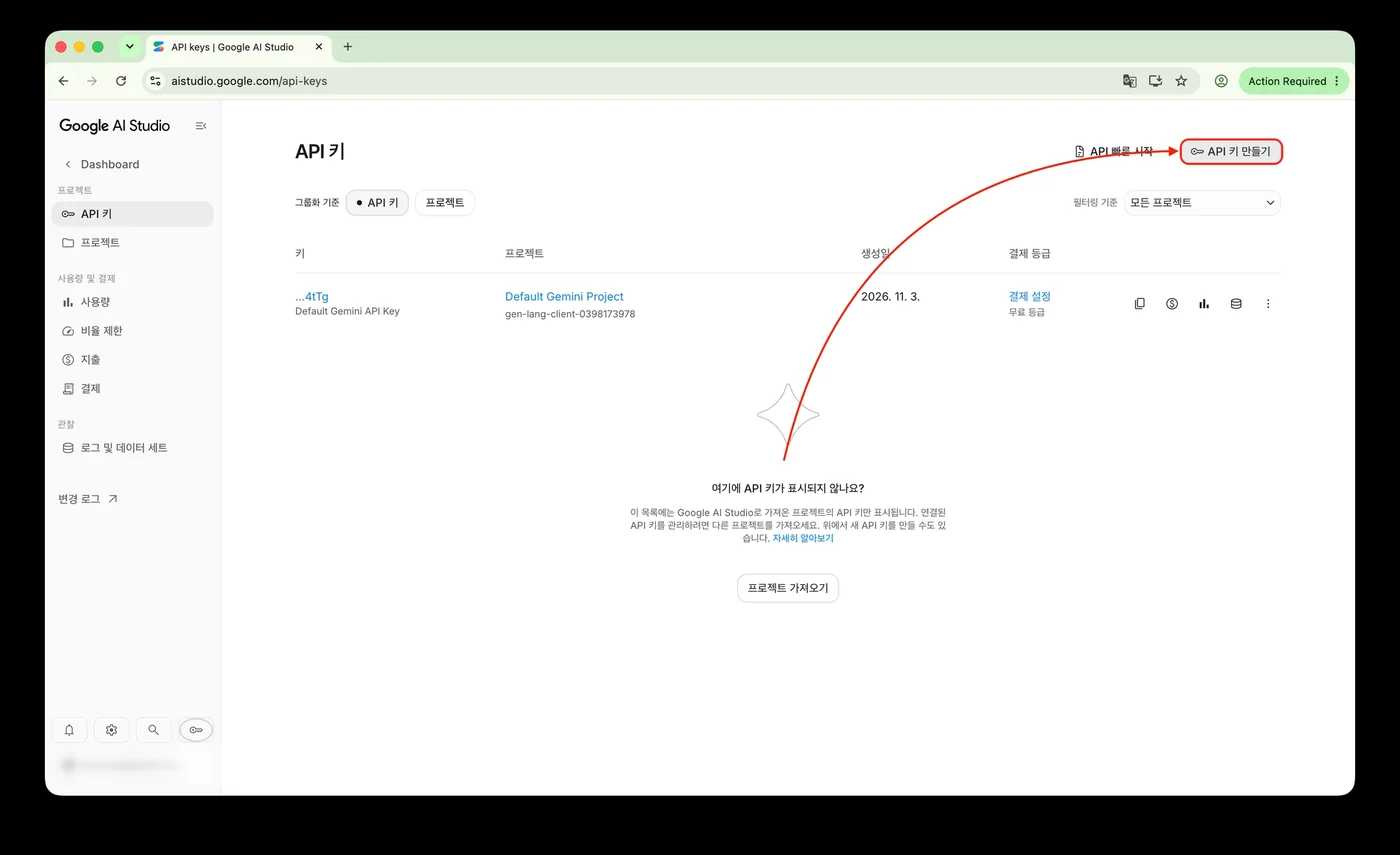
사진 5 — API 키 관리 화면 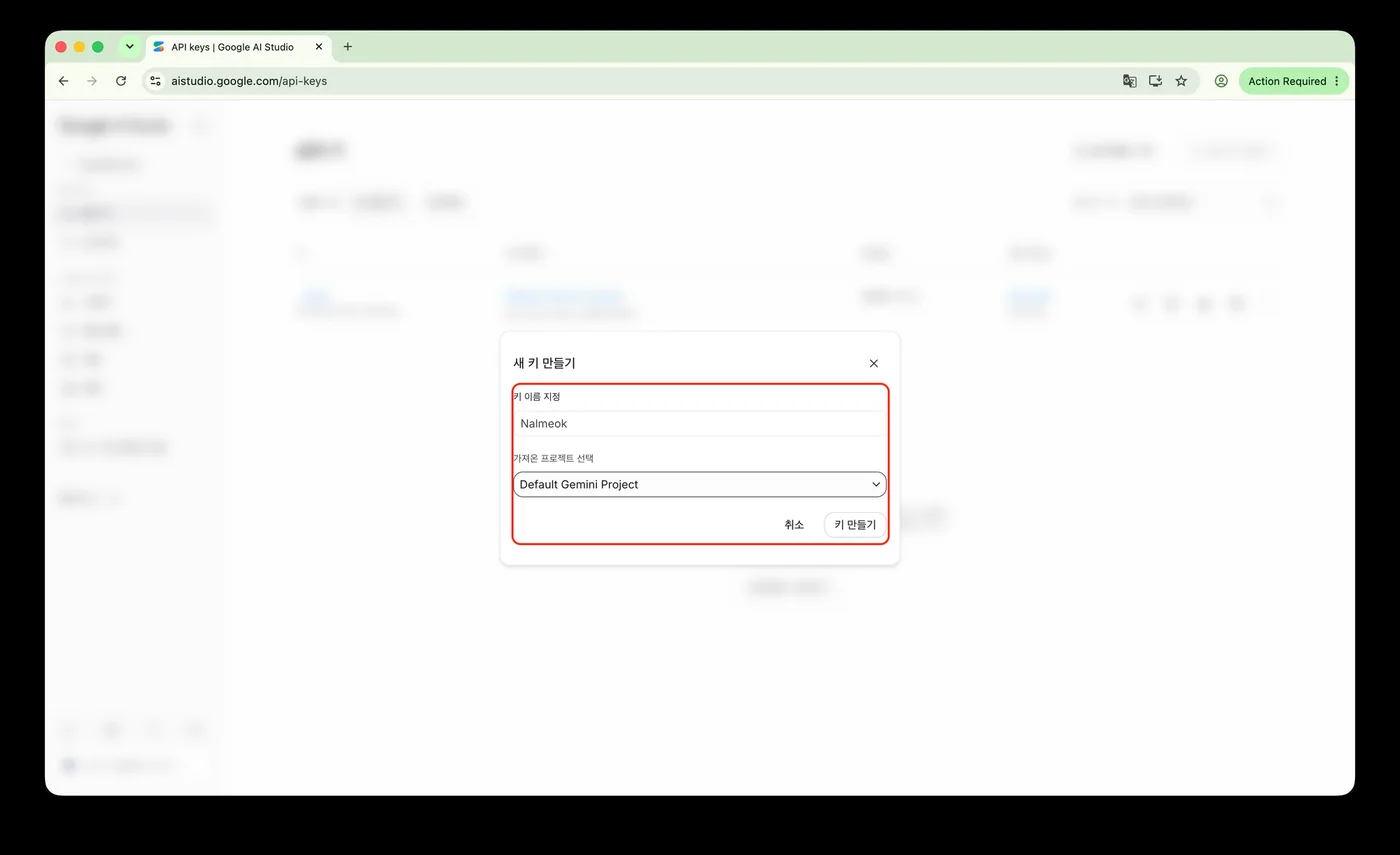
사진 6 — 새 키 만들기 -
발급된 키 복사
만든 키를 누르면 API 키 세부정보가 열립니다. API 키 옆의 복사 아이콘을 누르거나 오른쪽 아래의 키 복사를 누릅니다.
API 키는 비밀번호와 같습니다. 다른 사람에게 보내거나 공개된 저장소에 올리지 마세요.
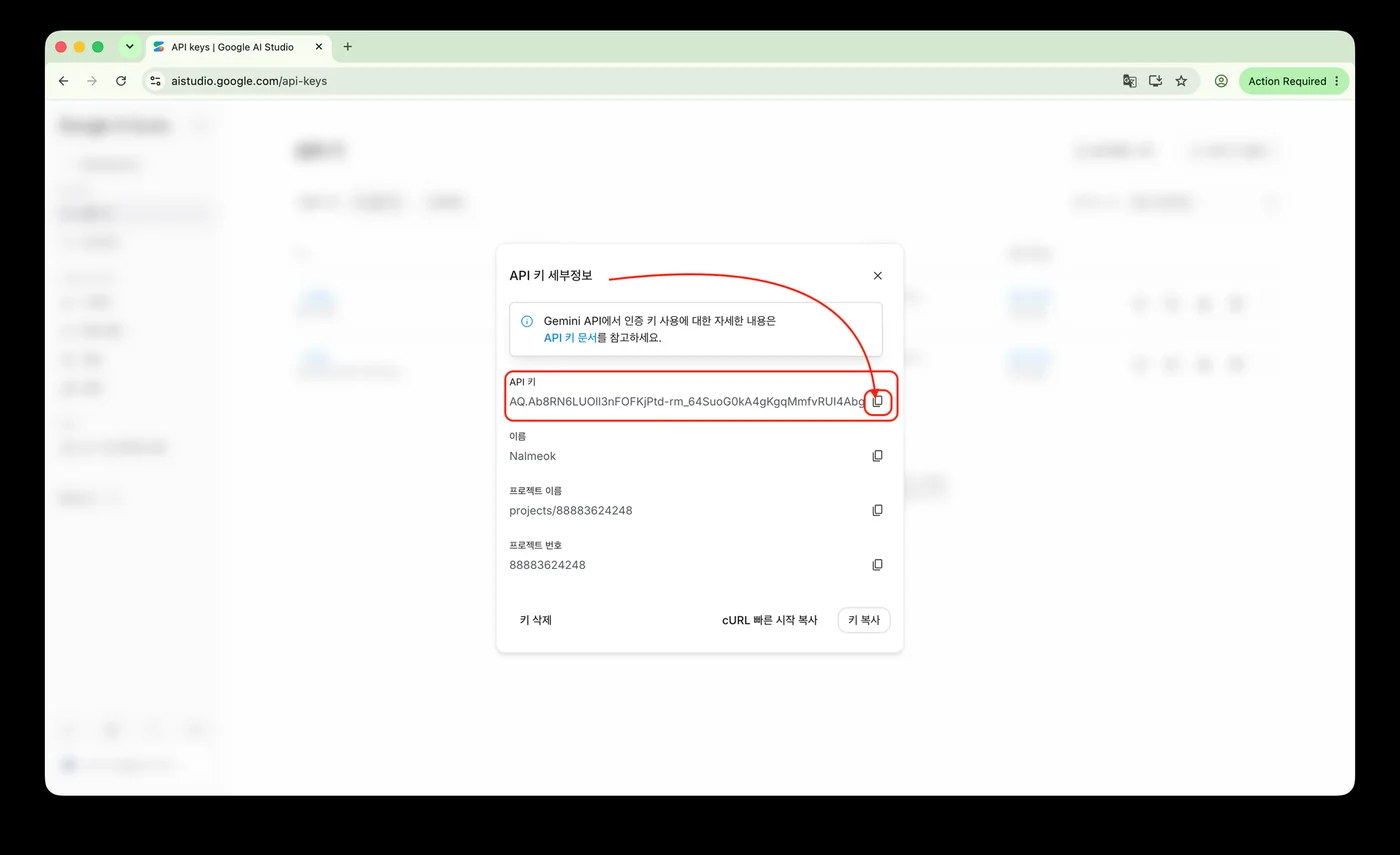
사진 7 — 발급된 API 키 세부정보 -
Nalmeok에 키 등록
Nalmeok을 열고 API 키(영어 화면 API keys)를 엽니다. 키 없이 처음 열었다면 이 화면이 먼저 나옵니다. 무료(Free)를 고르고 API 키 붙여넣기(Paste an API key)에 복사한 키를 넣은 뒤 저장(Save)을 누릅니다. 키 확인이 끝나면 목록에 키가 나옵니다. 완료(Done)를 눌러 닫습니다.
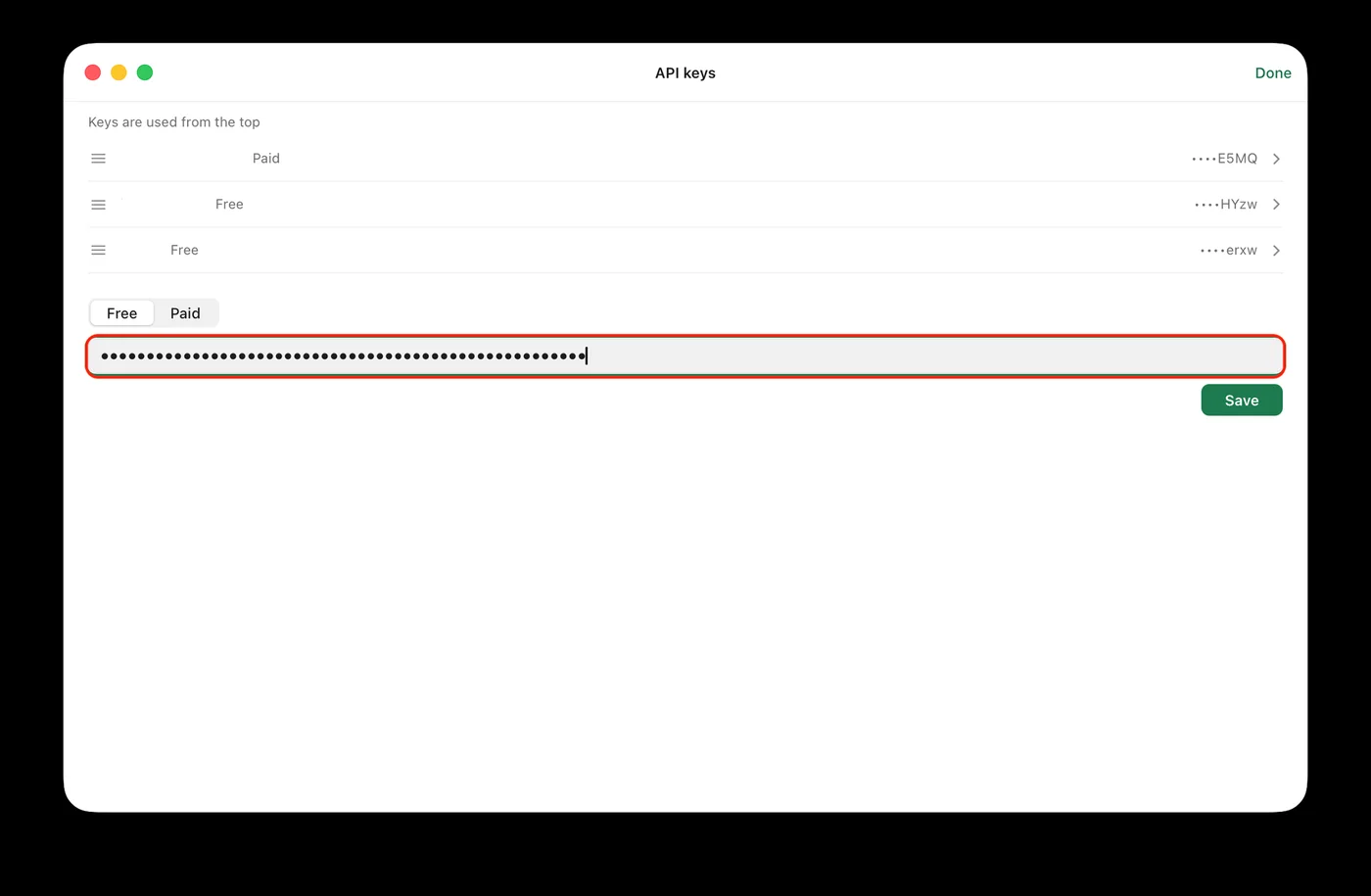
사진 8 — Nalmeok API 키 등록
-
Open Google AI Studio
Open Google AI Studio, choose Get started, and sign in with a Google account.
Photo 1 — Google AI Studio start screen -
Finish the first-time setup
On the first visit, Google shows its data-use and terms notice. Check the required boxes and choose Continue. On the next screen, pick a purpose or choose Skip.
Photo 2 — Welcome and terms notice
Photo 3 — Choosing a purpose -
Go to API keys
Choose Get API key at the bottom left, or open API keys directly.
Photo 4 — Google AI Studio home screen -
Create a free API key
Choose Create API key. In the Create a new key dialog, enter a name (for example,
Nalmeok), select Default Gemini Project under Select an existing project, and choose Create key. A project without billing uses the free tier.
Photo 5 — API keys screen
Photo 6 — Creating a new key -
Copy the key
Select the new key to open its details. Use the copy icon next to API key, or choose Copy key at the bottom right.
An API key is like a password. Do not send it to anyone or put it in a public repository.
Photo 7 — API key details -
Add the key to Nalmeok
Open Nalmeok and go to API keys (Korean: API 키). If you opened the app without a key, this screen appears first. Choose Free (Korean: 무료), paste the key into Paste an API key (Korean: API 키 붙여넣기), and choose Save (Korean: 저장). After the key is checked, it appears in the list. Choose Done (Korean: 완료) to close the screen.
Photo 8 — Adding the key in Nalmeok
자주 묻는 질문
- 무료로 쓸 수 있나요?
- Gemini API에는 무료 등급이 있습니다. 쓸 수 있는 모델과 요청 횟수에 한도가 있고, 한도는 Google 정책에 따라 바뀝니다. 무료 등급은 입력한 내용이 Google 제품 개선에 쓰일 수 있으므로 민감한 강의에는 유료 키를 권장합니다.
- 신용카드가 필요한가요?
- 무료 등급으로 시작할 때는 보통 필요하지 않습니다. 유료(Batch)를 쓰려면 결제 계정을 연결해야 합니다.
- 무료 사용량을 다 쓰면 어떻게 되나요?
- 한도에 닿으면 요청이 제한될 수 있습니다. Nalmeok에서는 항목이 오늘 무료 사용량 소진으로 바뀌고, 유료 키가 있으면 유료로 이어서 버튼이 보입니다. 한도가 초기화되면 다시 무료로 쓸 수 있습니다.
- 이미 Gemini API 키가 있다면?
- 새로 받을 필요가 없습니다. 쓰던 키가 유효하면 그대로 Nalmeok에 등록하면 됩니다.
Questions
- Is it really free?
- Gemini API has a free tier. Available models and request counts have limits, and Google can change them. Free-tier input may be used to improve Google products, so use a paid key for sensitive recordings.
- Do I need a credit card?
- Usually not to start on the free tier. Batch processing with a paid key requires a billing account.
- What happens when the free quota runs out?
- Requests may be limited when you reach the quota. In Nalmeok, the item changes to Free quota used today, and a Continue with paid button appears if a paid key is available. The free quota resets later.
- I already have a Gemini API key.
- You do not need a new one. If the key is valid, add it to Nalmeok as it is.