Get a free Gemini API key
Get a free key from Google AI Studio and add it to Nalmeok. No payment is needed to start transcribing.
Screenshots show the Korean interface. English button names are in parentheses.
-
Open Google AI Studio
Open Google AI Studio, choose Get started, and sign in with a Google account.
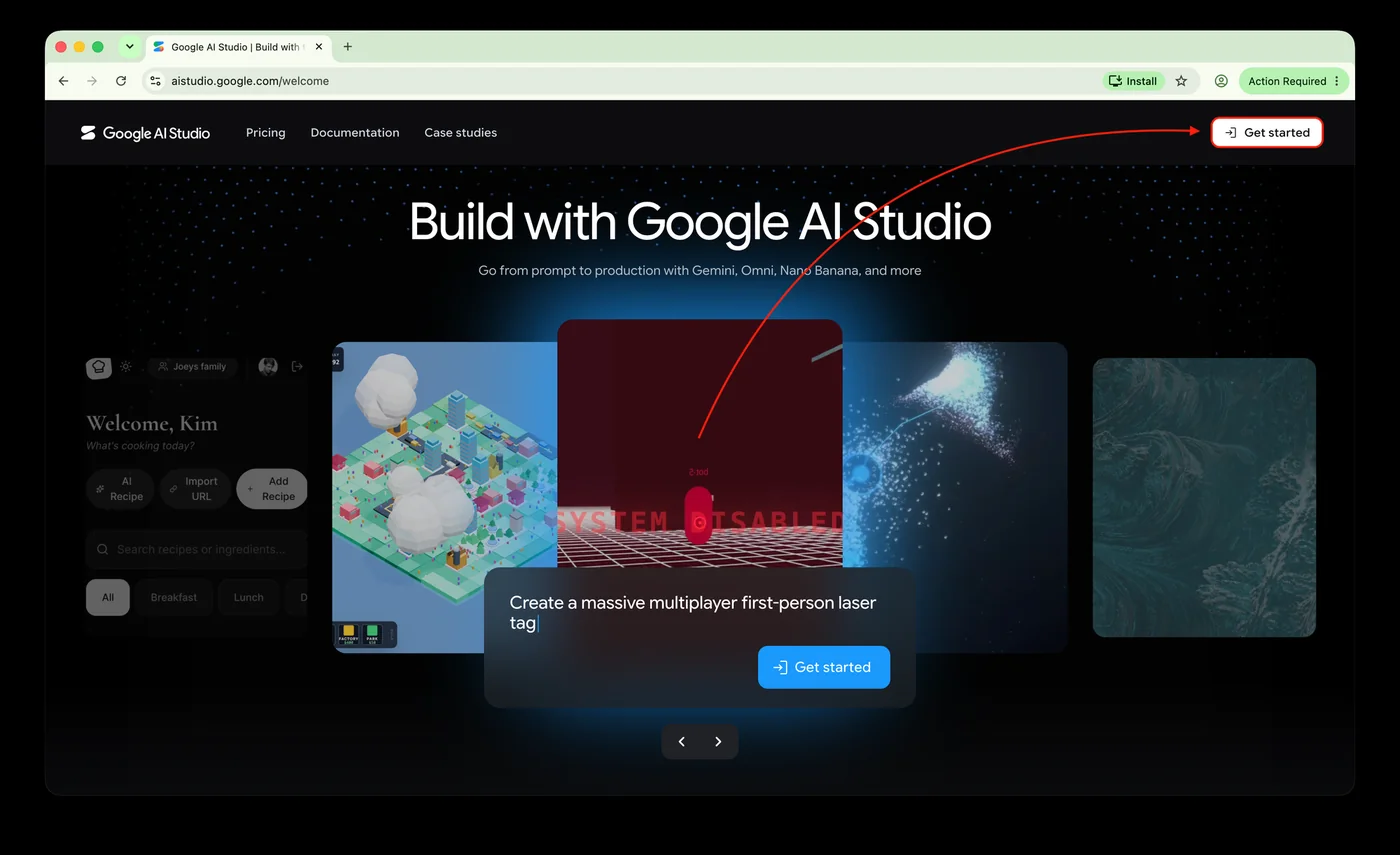
Photo 1 — Google AI Studio start screen -
Finish the first-time setup
On the first visit, Google shows its data-use and terms notice. Check the required boxes and choose Continue. On the next screen, pick a purpose or choose Skip.
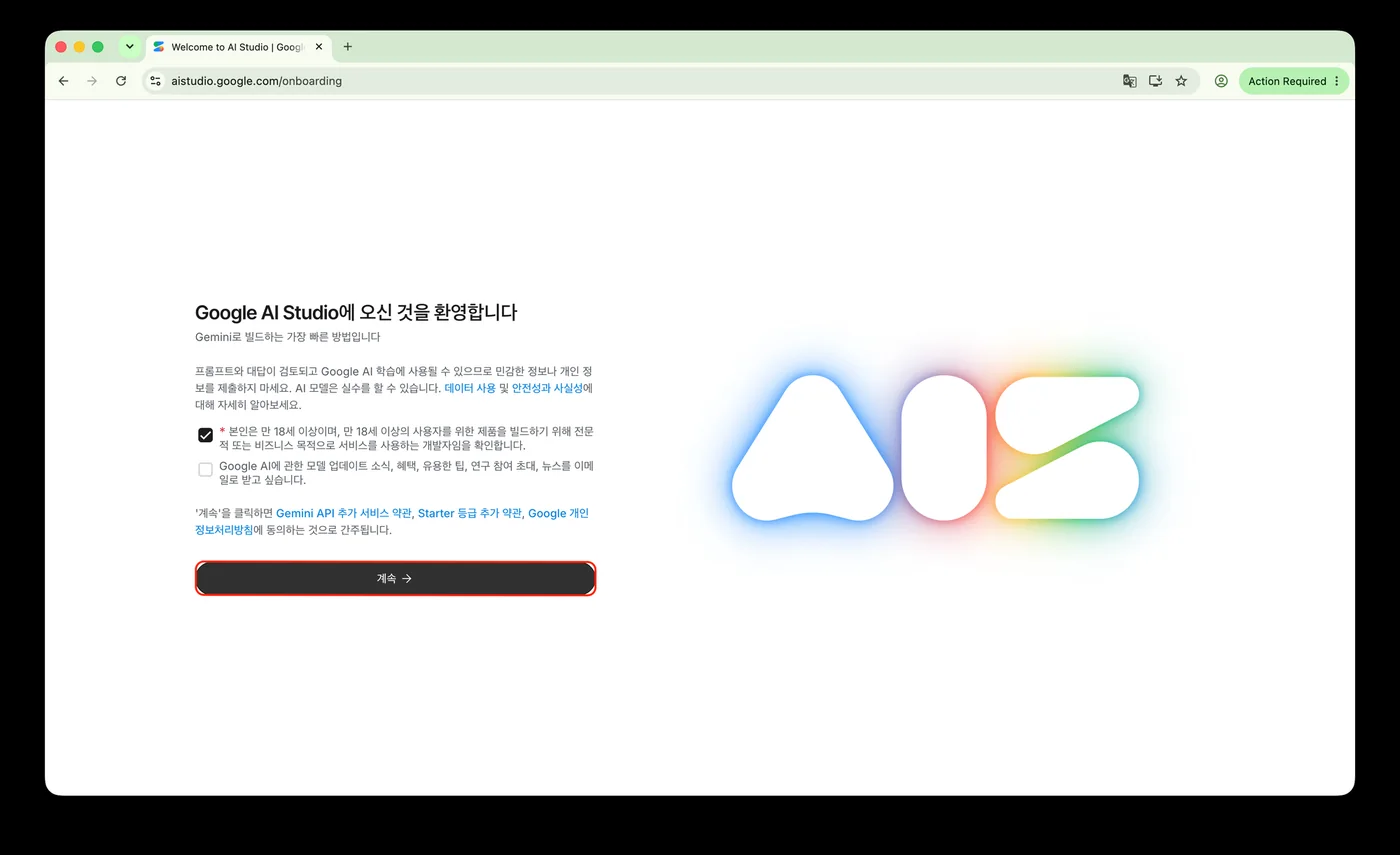
Photo 2 — Welcome and terms notice 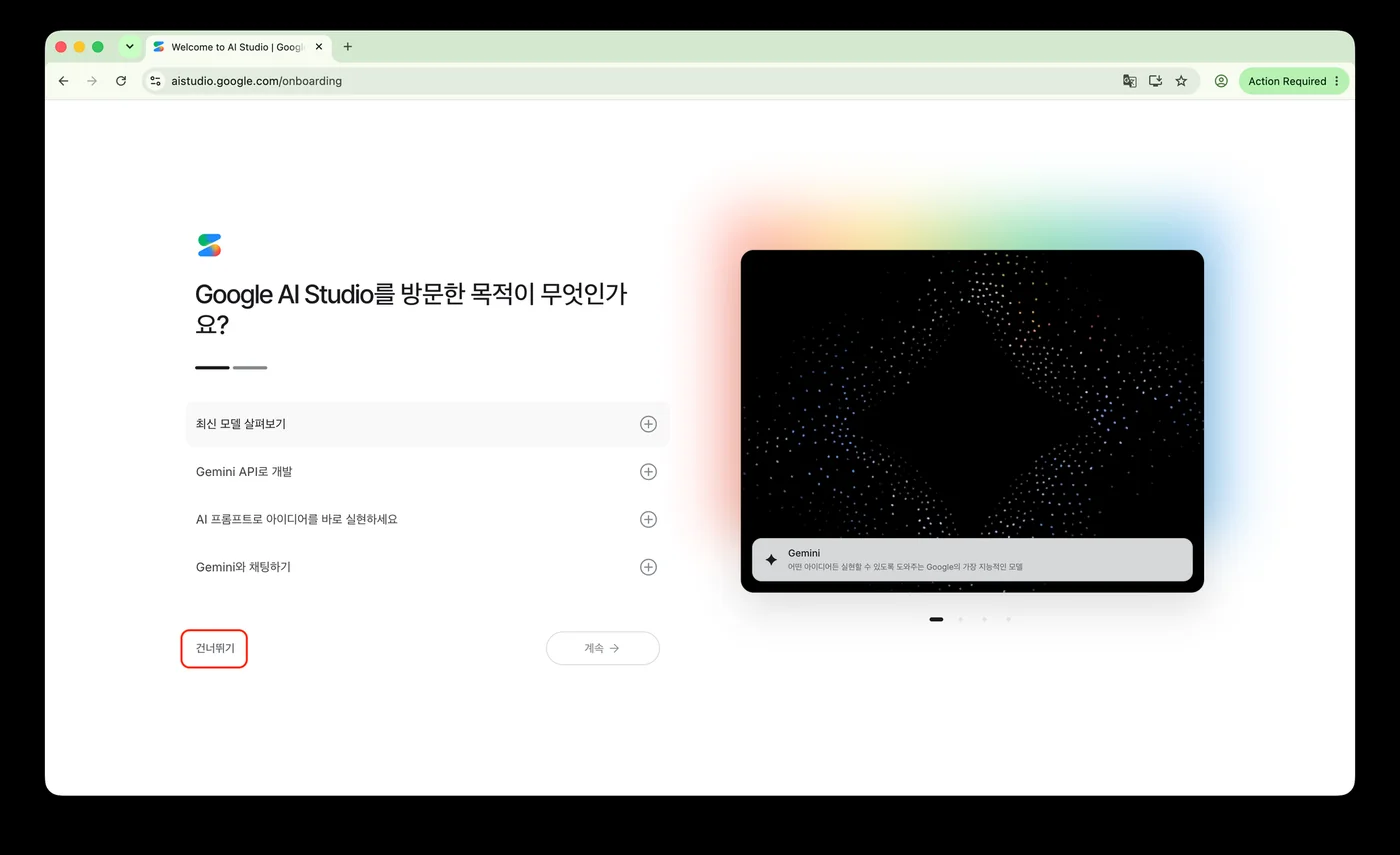
Photo 3 — Choosing a purpose -
Go to API keys
Choose Get API key at the bottom left, or open API keys directly.
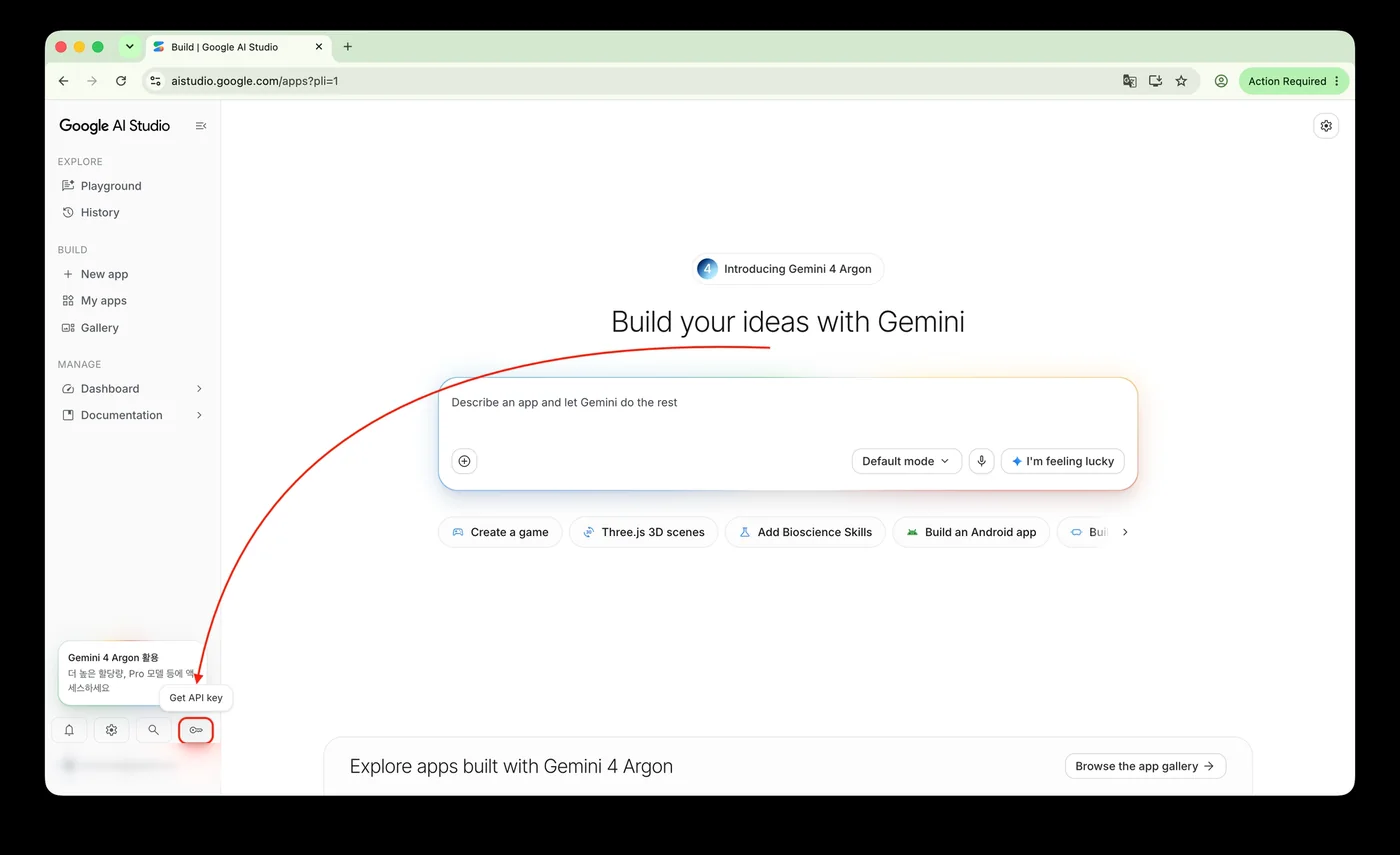
Photo 4 — Google AI Studio home screen -
Create a free API key
Choose Create API key. In the Create a new key dialog, enter a name (for example,
Nalmeok), select Default Gemini Project under Select an existing project, and choose Create key. A project without billing uses the free tier.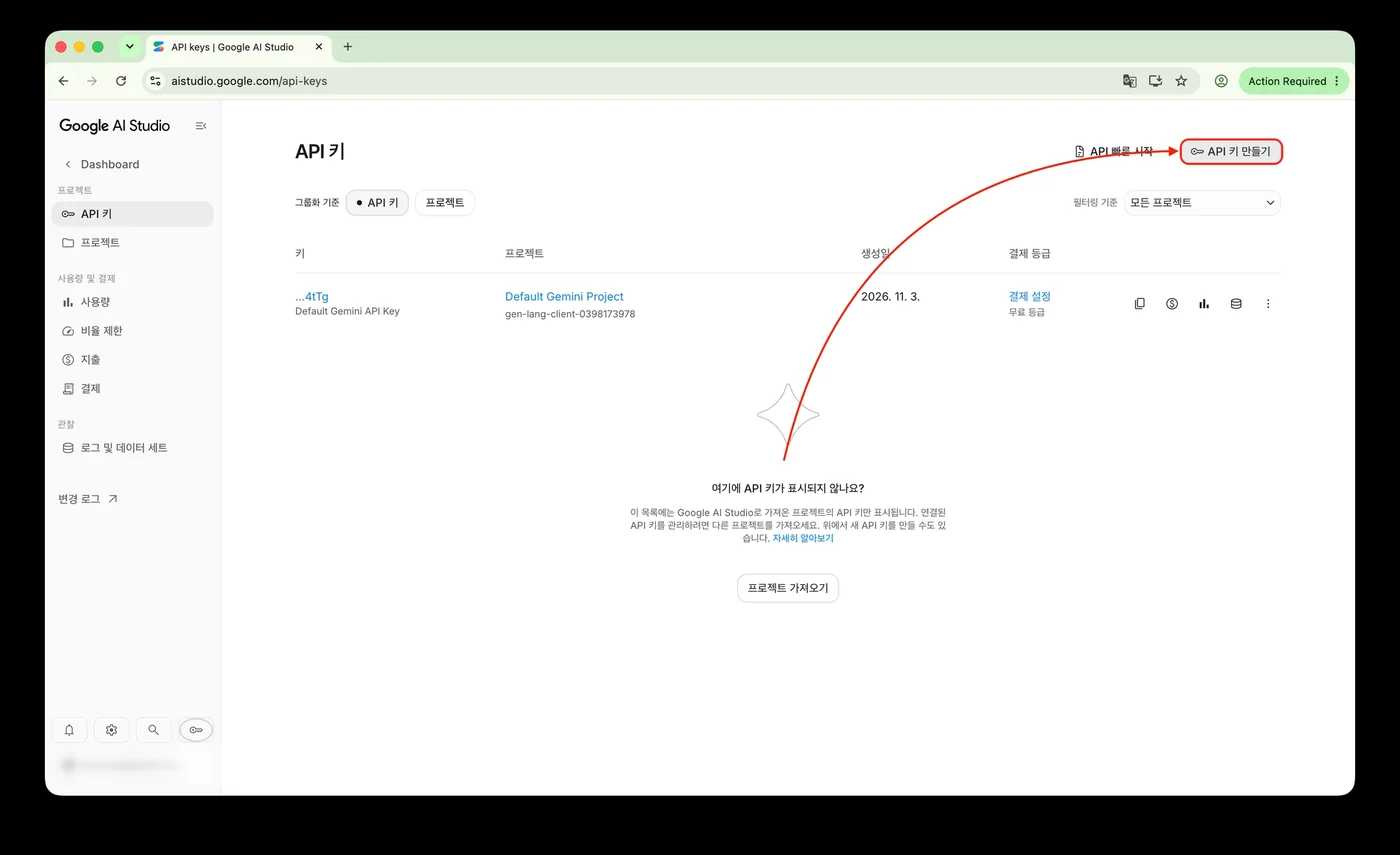
Photo 5 — API keys screen 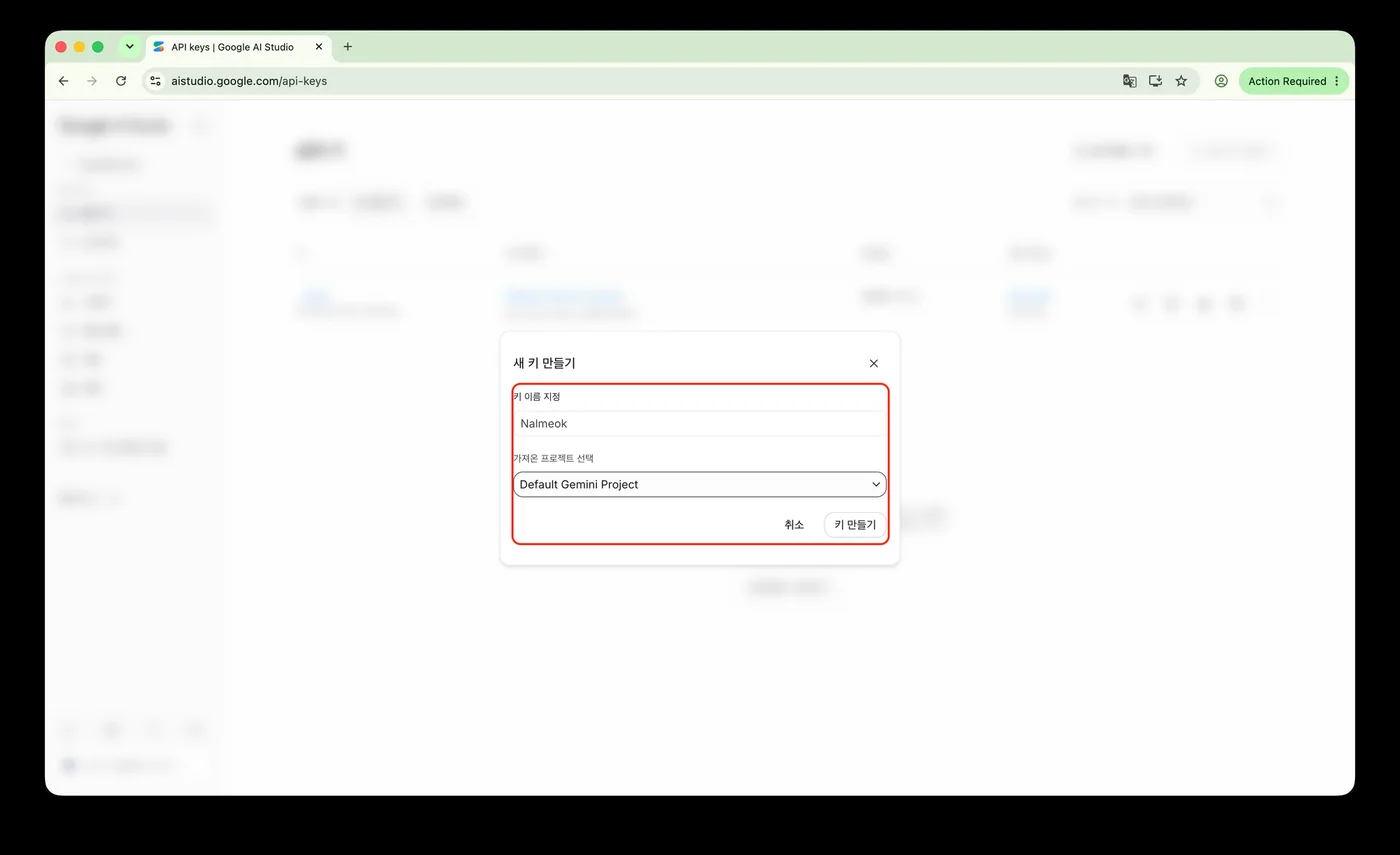
Photo 6 — Creating a new key -
Copy the key
Select the new key to open its details. Use the copy icon next to API key, or choose Copy key at the bottom right.
An API key is like a password. Do not send it to anyone or put it in a public repository.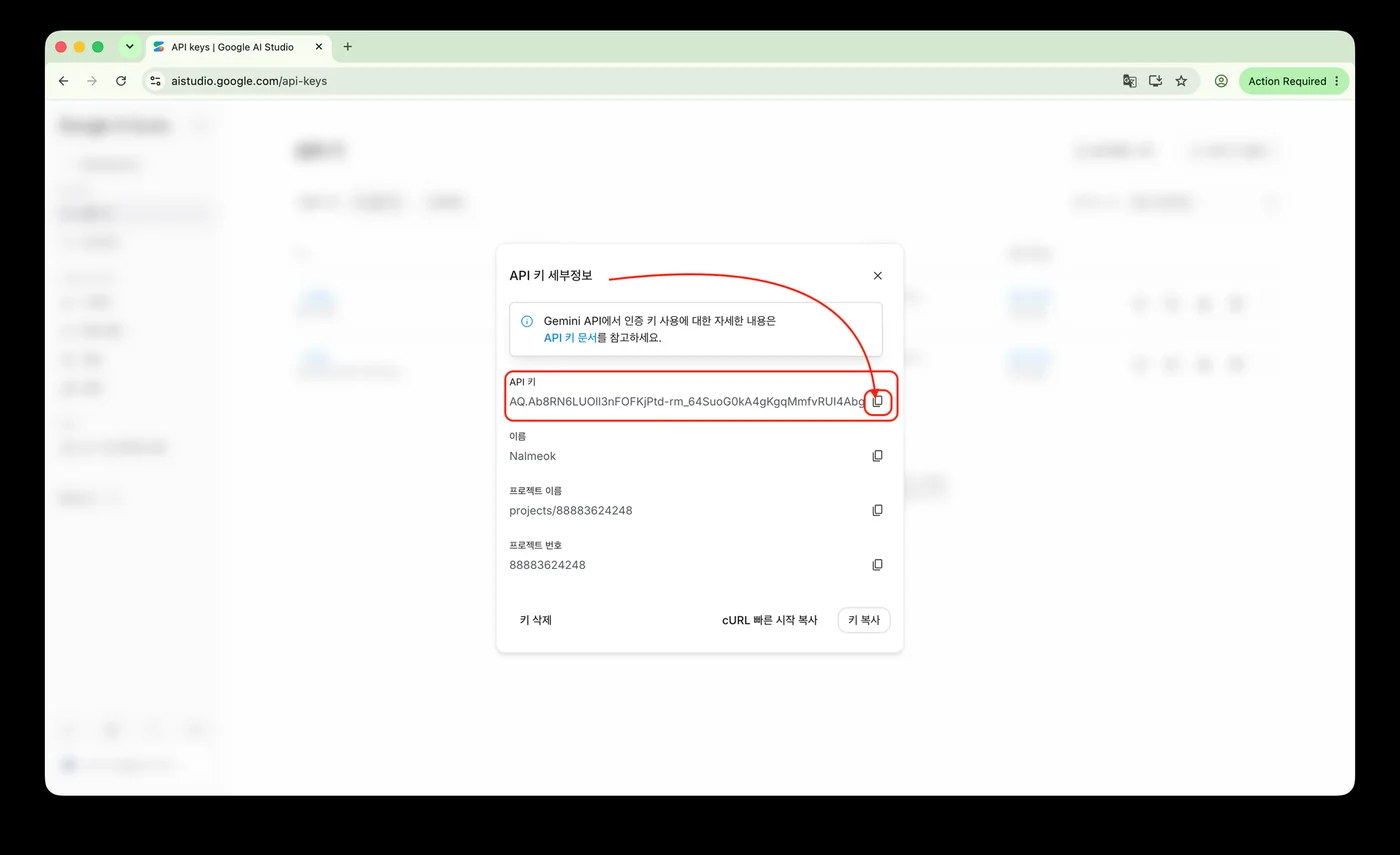
Photo 7 — API key details -
Add the key to Nalmeok
Open Nalmeok and go to API keys (Korean: API 키). If you opened the app without a key, this screen appears first. Choose Free (Korean: 무료), paste the key into Paste an API key (Korean: API 키 붙여넣기), and choose Save (Korean: 저장). After the key is checked, it appears in the list. Choose Done (Korean: 완료) to close the screen.
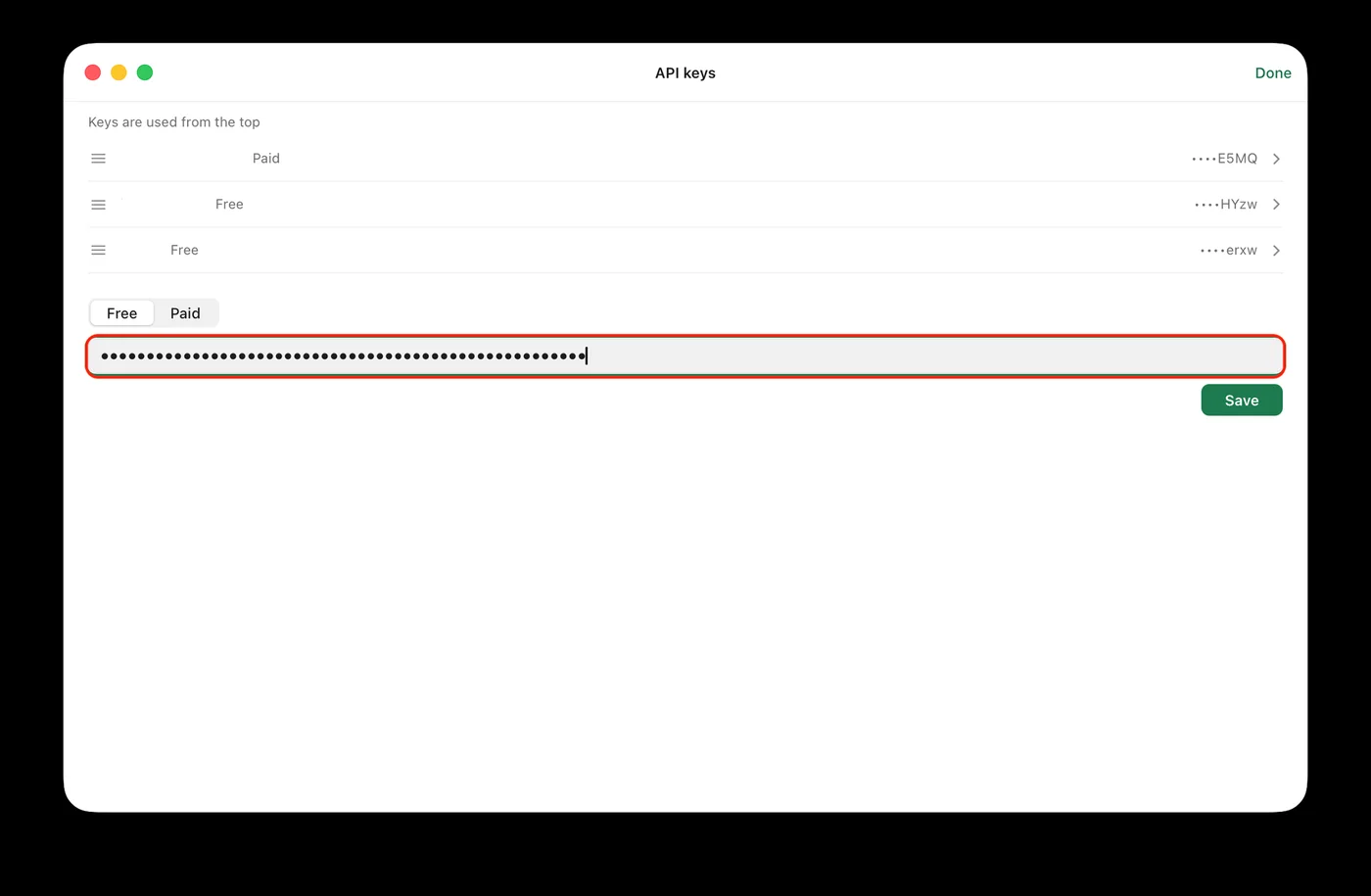
Photo 8 — Adding the key in Nalmeok
Questions
- Is it really free?
- Gemini API has a free tier. Available models and request counts have limits, and Google can change them. Free-tier input may be used to improve Google products, so use a paid key for sensitive recordings.
- Do I need a credit card?
- Usually not to start on the free tier. Batch processing with a paid key requires a billing account.
- What happens when the free quota runs out?
- Requests may be limited when you reach the quota. In Nalmeok, the item changes to Free quota used today, and a Continue with paid button appears if a paid key is available. The free quota resets later.
- I already have a Gemini API key.
- You do not need a new one. If the key is valid, add it to Nalmeok as it is.